Administrator guide

Managing the AI connector for your firm

Everything a company admin needs: the firm switch, the activity log, CSV export, retention, how people disconnect, and what to tell staff about data handling.

You need the Company Admin role in Athens Search. Looking for the user setup steps? See the Claude setup guide or the connectors overview.

On this page

  1. Turn the connector on or off
  2. Read the activity log
  3. Export to CSV
  4. What the log keeps, and for how long
  5. How a person disconnects
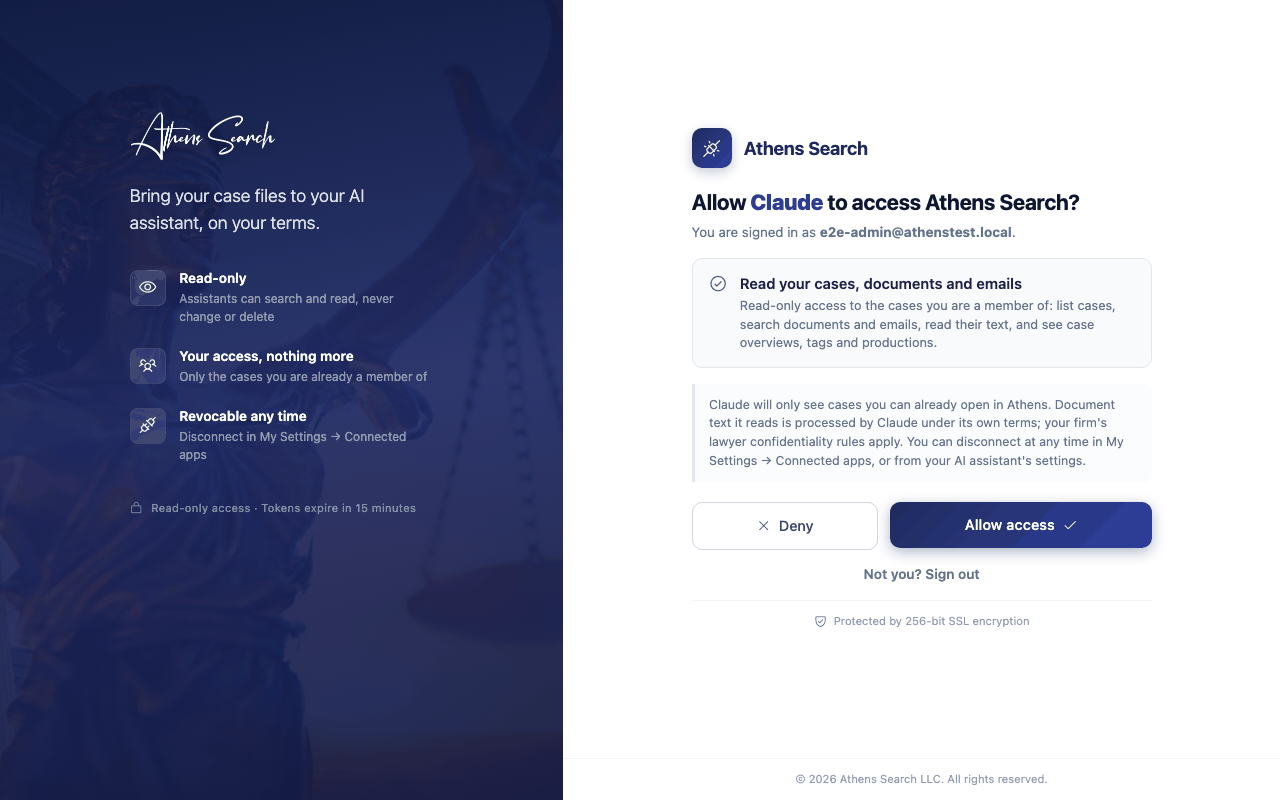
  6. What people see when they connect
  7. What to tell staff about data handling
  8. Usage limits
1

Turn the connector on or off

Open Company Admin and find the AI connector card. The switch applies to the whole firm.

  • On: people in your firm can connect an assistant from their own settings. Each assistant sees only the cases that person can already open.
  • Off: nobody in the firm can connect, and assistants that are already connected stop on their next request. Nothing is deleted; turning it back on lets the same connections work again without reconnecting.
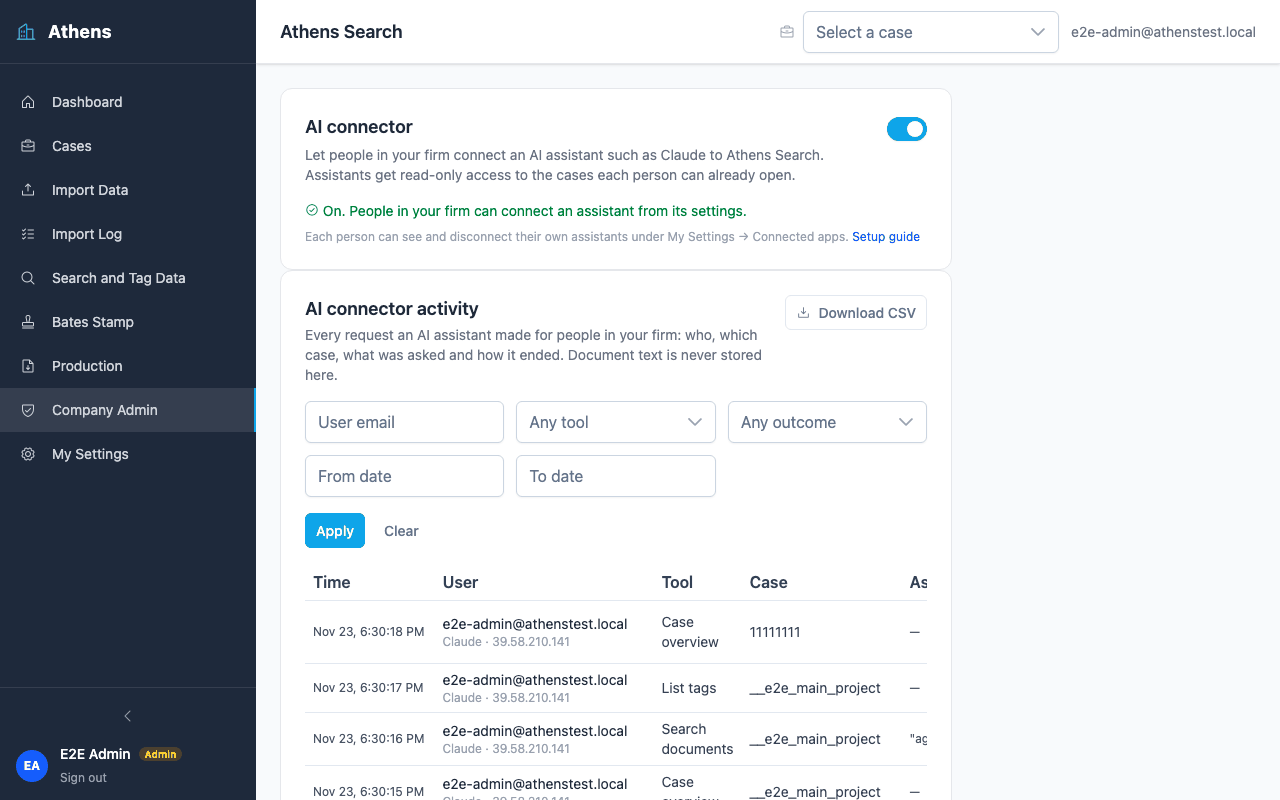
Company Admin in Athens Search showing the AI connector card with the switch set to On, above the AI connector activity card
2

Read the activity log

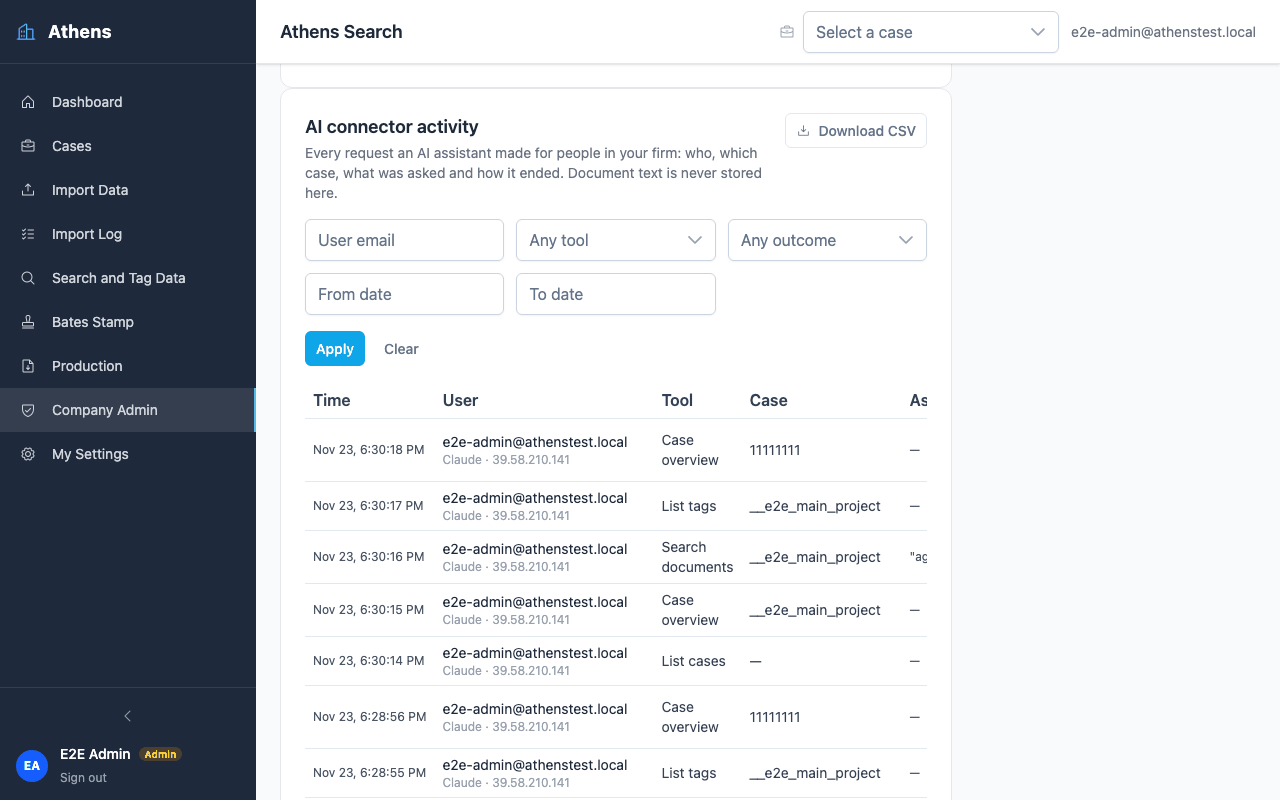
Under Company Admin, the AI connector activity card lists every request an assistant made for anyone in your firm. Each row shows:

  • who asked (the person's email), which assistant, and the address it came from
  • which tool was used, for example Search documents or Case overview
  • which case, and what was asked, such as the search phrase
  • the result, for example OK or Not authorized
  • the time

Filter by user email, tool, outcome and date range, then click Apply. Clear resets the filters. A "Not authorized" row means the assistant asked for a case that person is not a member of; the request was refused and nothing was returned.

The AI connector activity card with filters for user email, tool, outcome and dates, and a table of requests showing time, user, tool, case and result
3

Export to CSV

Click Download CSV at the top of the AI connector activity card. The export contains the rows that match the filters you have applied, so narrow the list first if you only need one person or one date range. The file opens in Excel or any spreadsheet.

4

What the log keeps, and for how long

The log records what was asked and what happened. It never stores document or email text. If an assistant reads a contract, the log shows that the document was read, not what it says.

Entries are deleted after one year. Export to CSV before then if your retention policy needs a longer record.

5

How a person disconnects

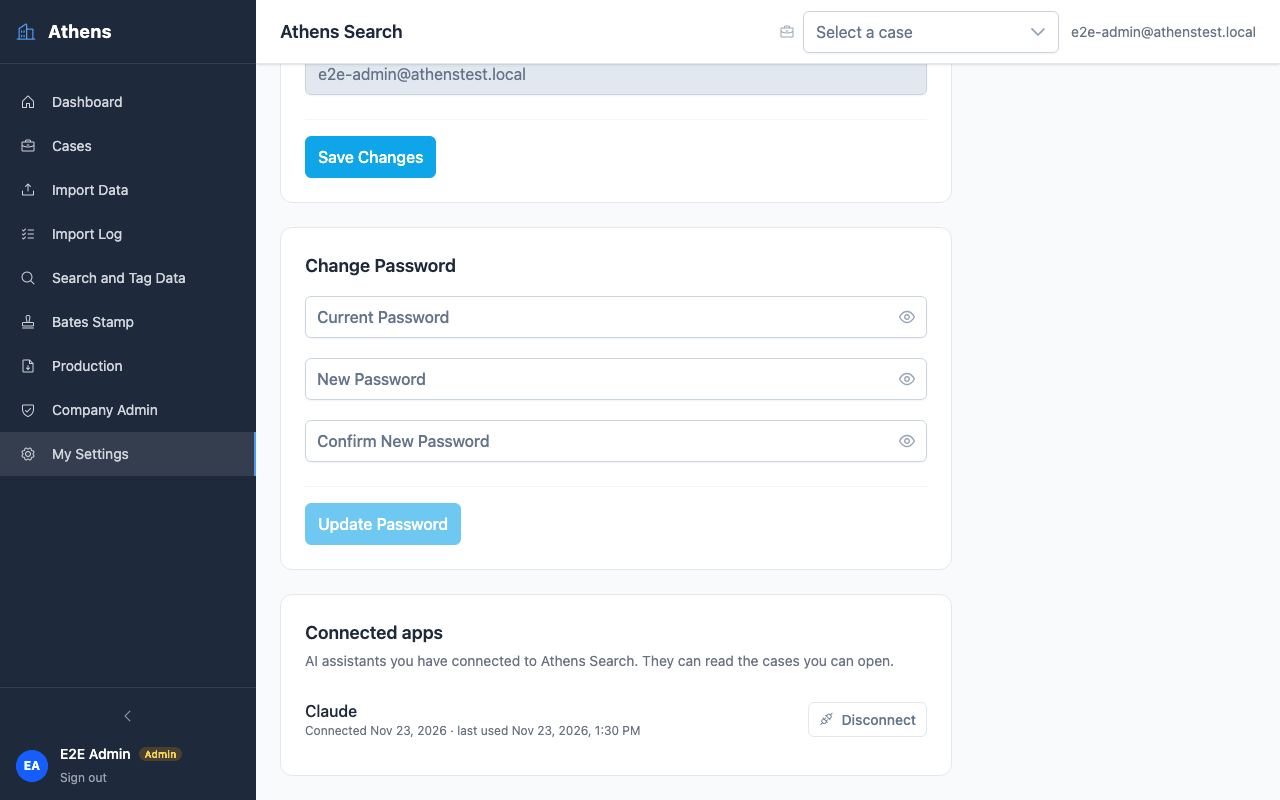
Each person manages their own connections. In Athens Search, open Settings, scroll to Connected apps, and click Disconnect next to the assistant, then confirm. The row shows when it was connected and last used. The assistant is cut off on its next request. People can also remove the connector in their assistant's own settings.

Admins do not see other people's connections here. To stop everyone at once, use the firm switch in step 1.

Settings in Athens Search showing the Connected apps card with a Claude connection and a Disconnect button
7

What to tell staff about data handling

When a person asks an assistant about a document, the text the assistant needs is sent from Athens Search to the assistant provider and handled under that provider's terms for the plan the person is on. Athens Search does not control what the provider does with it after that.

  • Review the provider's data-handling terms with counsel before anyone connects client files.
  • Prefer business plans where the provider does not train on your data.
  • Tell staff which matters, if any, must not be discussed with an assistant, and that the activity log records every request.
  • Remind staff that the assistant only sees the cases they can already open, and that they can disconnect at any time.

Our Privacy Policy and Terms describe the connector and your firm's responsibilities in full.

8

Usage limits

Each person can make up to 60 requests a minute, a few at a time. A runaway assistant cannot overload the service. If someone's assistant reports that a usage limit was reached, it clears within a minute; no action is needed from you.

Quick reference

I want toWhere
Stop every assistant in the firmCompany Admin, AI connector, switch Off
See who asked whatCompany Admin, AI connector activity
Keep a copy of the logCompany Admin, AI connector activity, Download CSV
Disconnect my own assistantSettings, Connected apps, Disconnect
Help a colleague connect ClaudeClaude setup guide

Questions about the connector?

We can walk your firm through the controls on a sample case, or answer questions about a specific assistant.